Everything you need to keep customers coming back
A branded card in their phone and their wallet, a counter that stamps in one scan, messages that bring regulars back, and numbers that show you who they are. Here is every part of it, and which plan it's on.
Your card, your brand
Tallyr stays out of the way. The card in your customer's phone carries your name, your logo and your colours, and sets out the reward in your words.
Your coloursPick one of the preset palettes or set your own brand colour. Text switches between light and dark so it always reads.
Your logoUpload it once; it shows on the card, the pass and the poster.
Your stampChoose the stamp icon: a coffee cup, cutlery, sparkles, a shopping bag and more.
Your rules1 to 30 stamps for the reward, the reward in your own words, and a line saying what earns a stamp.
As many cards as you needA coffee card and a lunch card. A cut card and a colour card. Each with its own goal and reward.
All venues or someRun a card at every location, or only the ones you pick. Tallyr checks it every time a stamp is added.
In their wallet, next to their bank card
Every Tallyr card can be added to Apple Wallet or Google Wallet, on every plan, Free included. Customers add it in a tap from their card.
Updates itselfA new stamp, a reward ready, a reward redeemed: the pass changes on its own.
Lock-screen alertsA new stamp, and a reward ready, show up on the lock screen.
Scan from the passThe pass carries the customer's code, so staff can scan it straight from the wallet.
Wallet optionalCustomers who'd rather not use a wallet keep the card in the browser. Nothing is lost.
Joining takes one scan
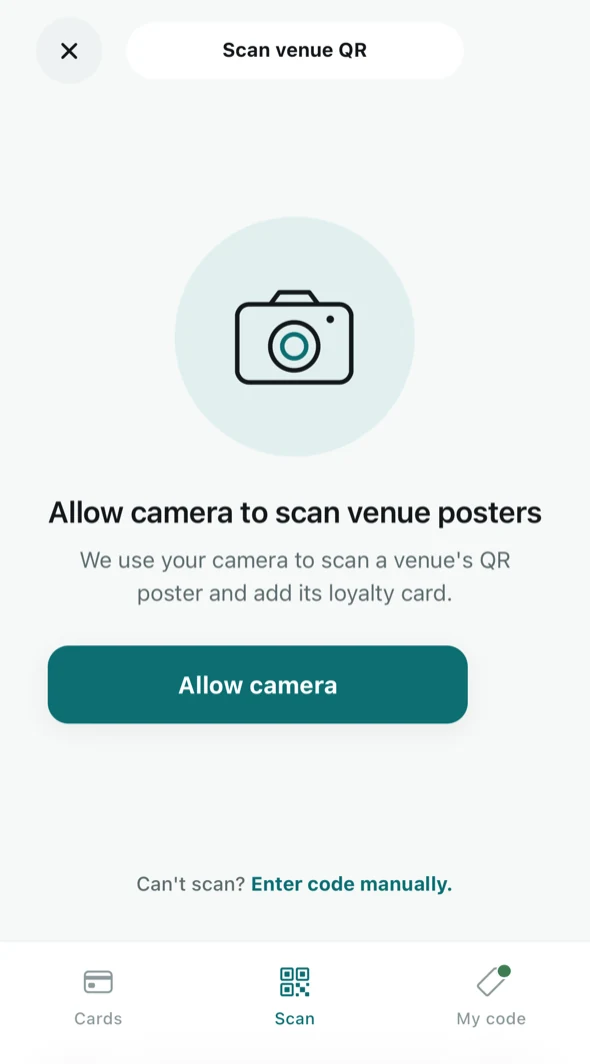
Customers point their camera at your poster. Your card opens in their phone's browser, with no app store, no password and no forms at the counter.
A poster for every venueTallyr makes a QR poster for each location, as a PDF or by email. The same scan that signs a customer up asks for their first stamp.
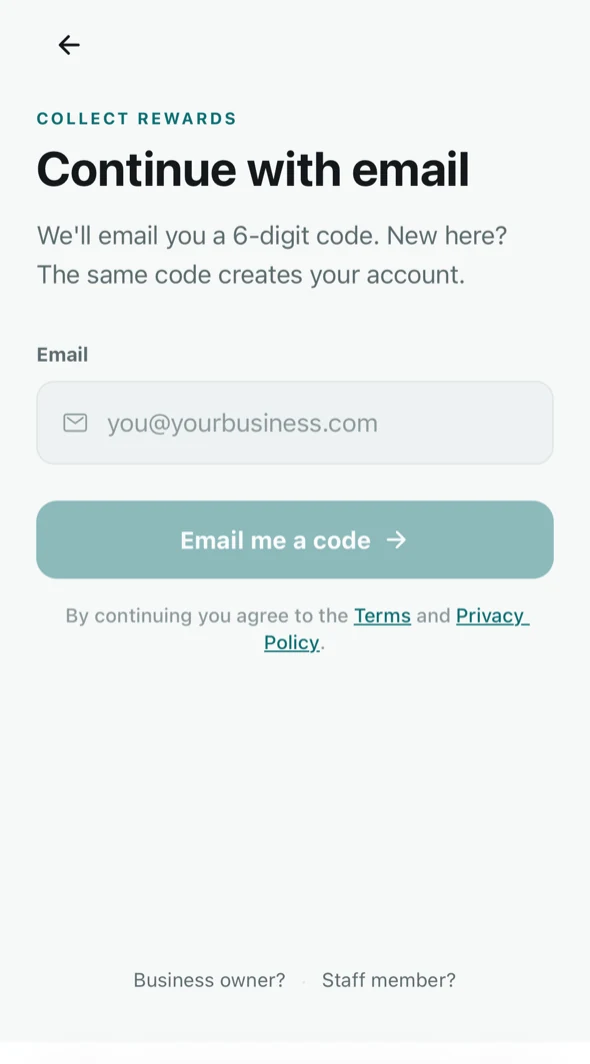
No passwordsCustomers sign in with their email and a six-digit code. The same code creates a new account.
One account, every cardA customer who collects with three businesses keeps all three cards in one place.
Lost phone? No problemCards live on the account, not the phone. Sign in on a new phone and they're all there.
Stamp in one scan
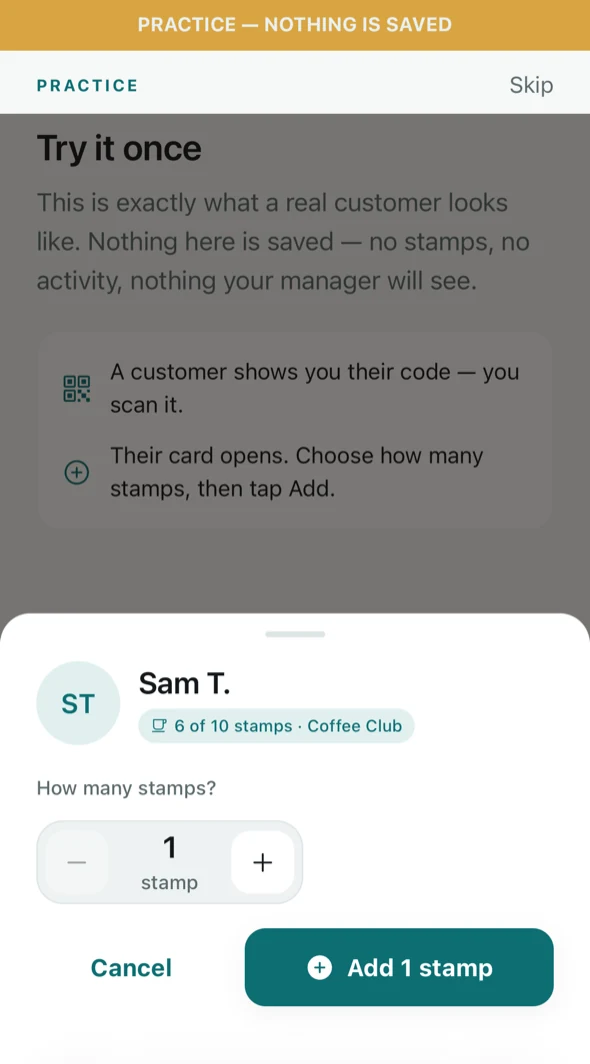
The counter runs on any phone or tablet your team already has. A customer shows their code, staff scan it, and check the name on screen before adding the stamps.
Scan a code that keeps changingThe customer's code refreshes every minute or so, so a screenshot of someone else's is useless.
Or type six charactersWhen the camera won't focus, the customer reads out a short code instead.
Or find them by name NewType at least three letters of a regular's name to find them among your customers, at any of your venues. By name only, never email or phone.
Several stamps at onceOne purchase, one stamp, or up to 10 at once when they bought for the table.
No double stampsA repeat scan is recognised and never stamps twice.
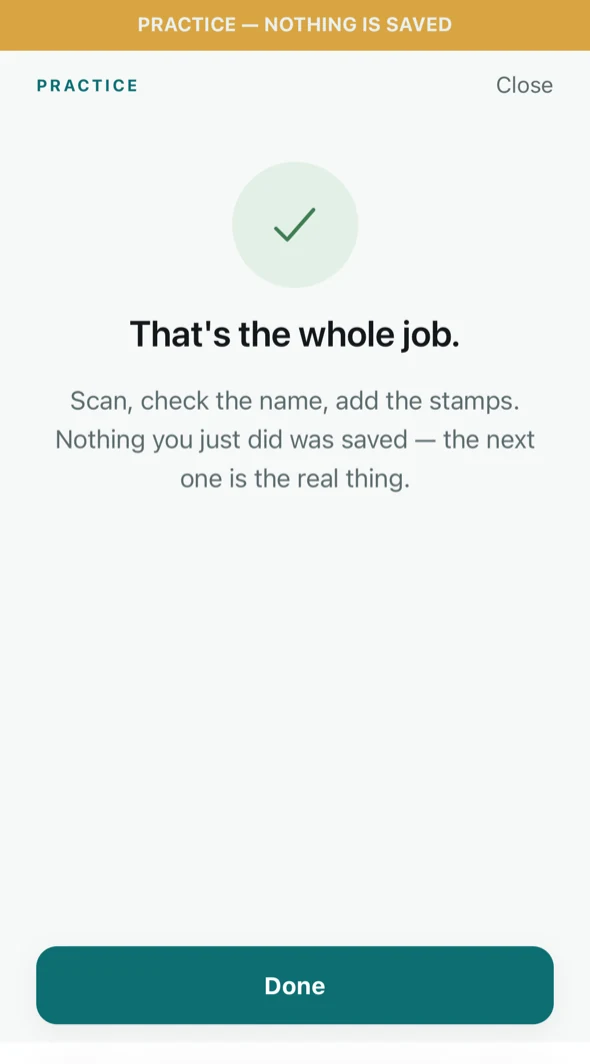
A practice runNew staff rehearse on a pretend customer before their first shift. Nothing is saved.
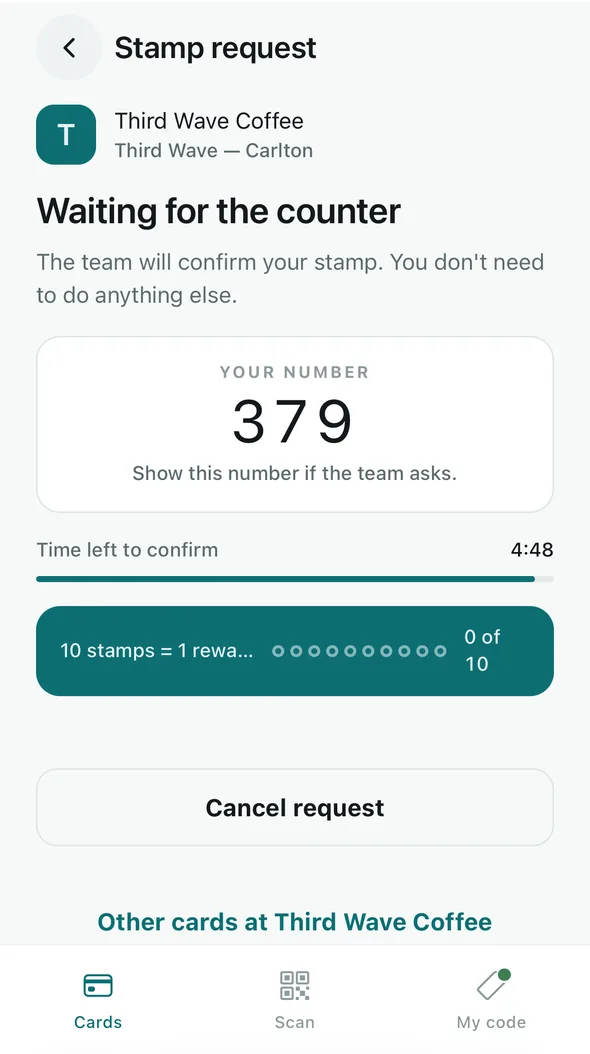
Or confirm a stamp request NewCustomers who scan your poster wait in a list on the Scan screen. Staff approve or decline each one. How requests work
Customers scan your poster. Your team confirms.
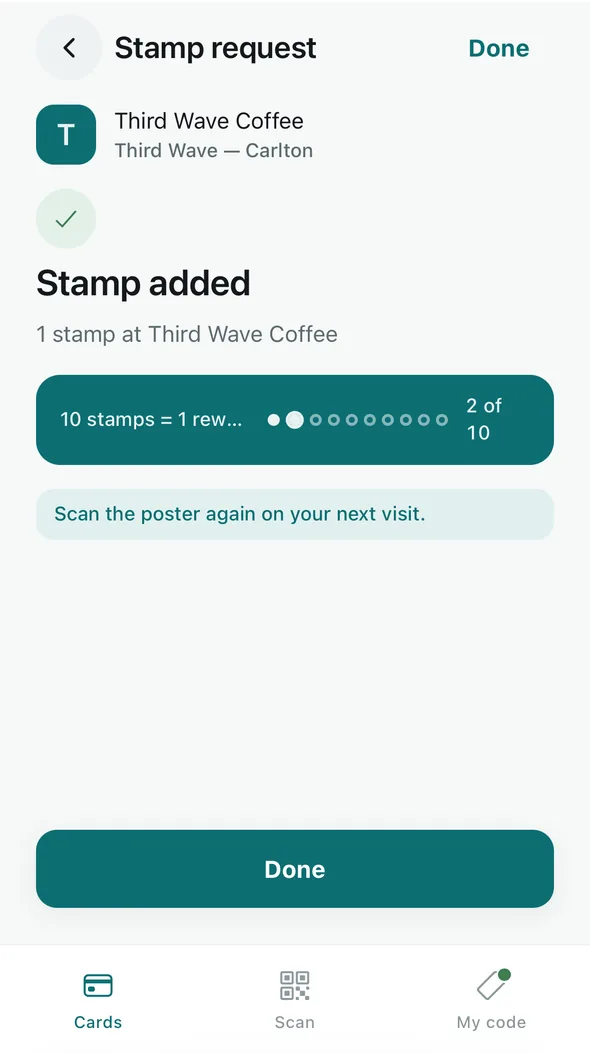
A scan of your QR poster sends the counter a stamp request, by itself. Staff approve it, which opens the usual stamp sheet, or decline it. Nothing is ever stamped automatically.
One scan, no buttonCustomers scan with their phone's camera or the Tallyr app. Someone new is signed up by the same scan.
Staff always confirmApprove opens the usual stamp sheet, so every normal rule applies. Decline tells the customer kindly, with no reason asked for or kept.
Easy to tell apartEach request shows the customer's name and picture, a three-digit number they see too, their cards and how long they've waited. Never their email, phone or birthday.
Limits built inA request lasts 5 minutes. A customer can make 6 a day at one venue and 30 in total, and a venue holds up to 50 at once.
Keep the posters you havePosters already up keep working, so nothing needs reprinting. New ones say “Scan for your stamp”.
Rewards still take a scanA request adds stamps. Handing over a reward still takes the customer's QR.
A till screen for the register
Leave a tablet or a computer by the register on the till all shift. Scanning sits on one side and the stamp requests list on the other.
A scanner, or the camera
Plug in a USB barcode scanner, pair a Bluetooth one, or use the camera. “Scanner ready” means there's nothing to tap first, and Enter code and Name are there too.
Requests as they arrive
The list updates by itself, with a soft chime for each new request. Mute the chime from the header and the till remembers.
Stays awake
The till tries to keep the screen on. If the browser can't, it says so once and names the setting to change.
Seven setup tips
“Set up a till”, on each location's poster screen, covers scanners, Auto-Lock, the camera and Silent Mode.
Opens in the browser
Staff choose “Open till screen” on the Scan screen, in a window at least 768 px wide. It lives at app.tallyr.com.au/till; there's nothing to install.
Every plan
Free and Tallyr Pro both include the till. The barcode scanner is optional: the camera works too.
Rewards that look after themselves
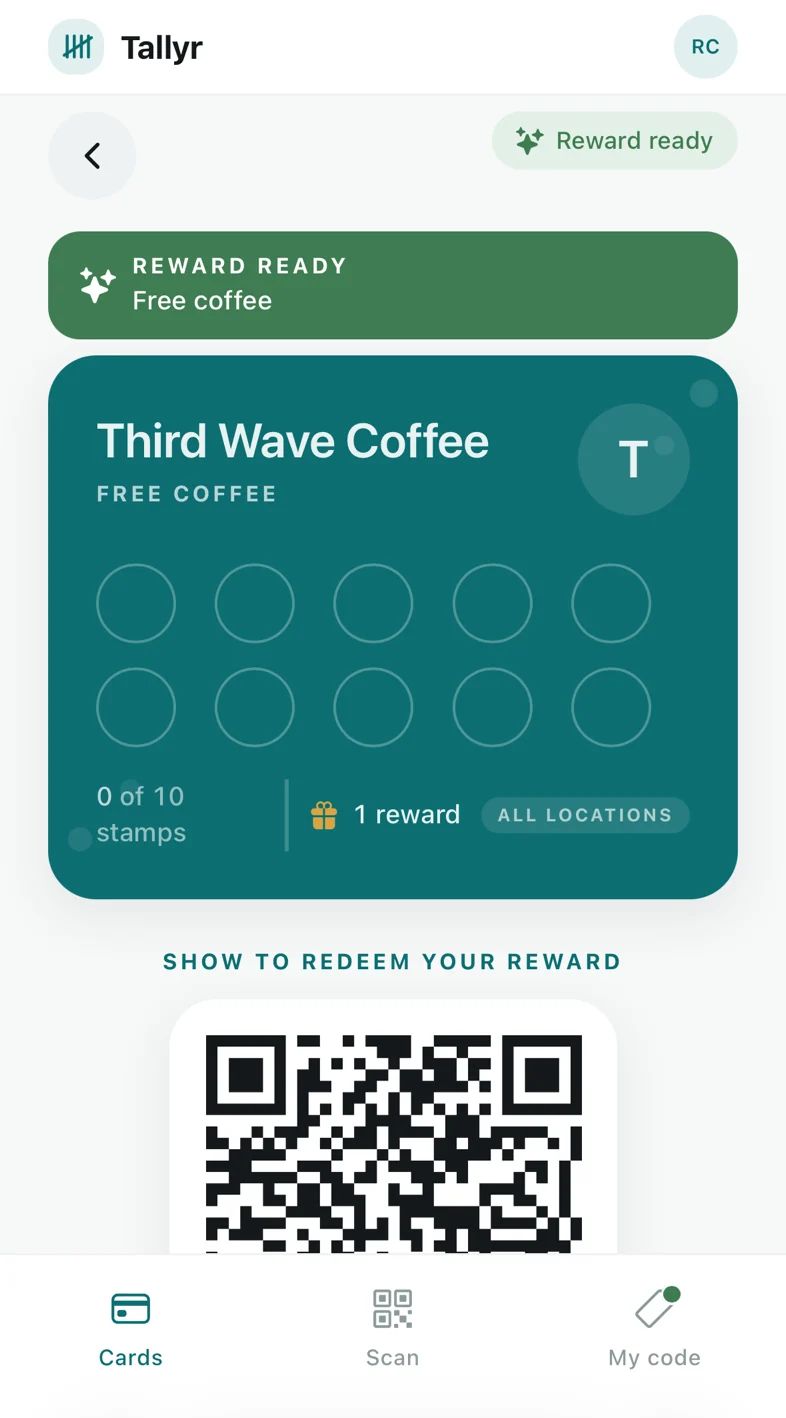
When the card fills, the reward is ready. The customer sees it at the top of their cards, and the counter offers it instead of another stamp.
Ready the moment it's earnedNo maths at the till and no arguments about how many stamps there were.
Redeem with a scanThe customer shows the reward's code and staff confirm it. Each reward can be claimed once.
Rewards can waitA reward stays on the card until the customer is next in, and more than one can wait.
The card starts againOnce redeemed, the card starts from zero and the next reward begins.
Bring them back between visits
Messages land on the customer's Apple Wallet or Google Wallet pass, so they show up on the lock screen rather than in an inbox. Some run on their own; others you write. All of them need the Wallet nudges add-on.
- Your own message: up to 120 characters, to everyone, your regulars (in on 3 or more days in the last 60) or customers who have lapsed (in on 2 or more days, but not for 3 weeks)
- See how many customers a message will reach before you send it, and cancel it before it goes
- Sent between 10 am and 8 pm, your time
- At most one message a week from your business to each customer, reminders included
- Every customer can switch your messages off; their card keeps working
Double stamps all day Saturday. See you then!
Happy birthday from all of us! Your blow-dry upgrade is on the house this week.
Thanks for visiting Nonna's Kitchen! If you have a minute, we'd love a Google review.
You're 2 stamps from your reward at Little Lane Barbers.
Example messages. The businesses are made up.
Birthday wishes
Write your birthday message once, such as a free coffee or an upgrade on the house. Customers who add their birthday (the day and month, never the year) get it on the day, on their pass. Your card invites them to add one, and you never see the date.
Google review requests
Paste your Google review link and choose when to ask: after a customer's 2nd to 10th visit, 3rd by default. Tallyr sends one request, the day after that visit, and never pairs it with an offer, because Google doesn't allow rewards for reviews. Your review link also sits on their card.
Know who your regulars are
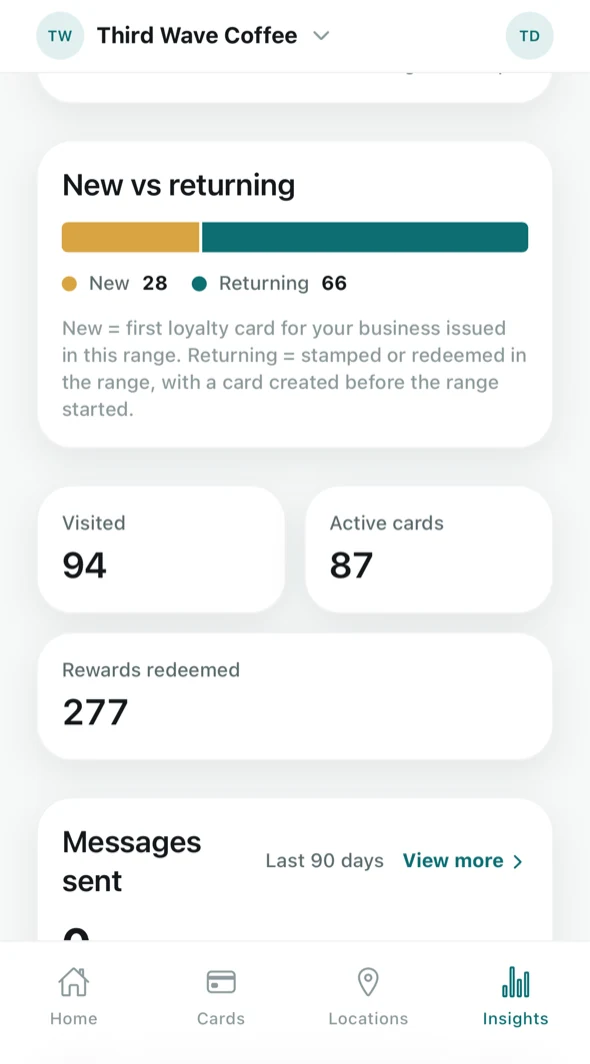
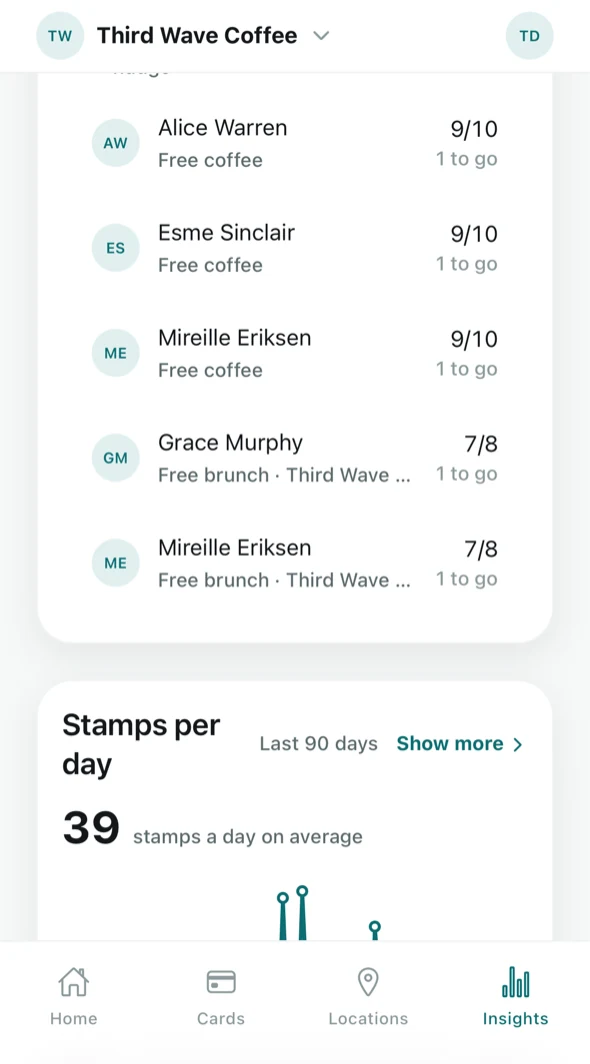
Every stamp and redemption is recorded against the venue, the staff member and the time, so the numbers are real. Free shows the headline; Tallyr Pro shows the whole picture.
- Free: stamps, visits, new and returning customers; the 7- and 30-day trend; recent redemptions
- Pro: date ranges up to 12 months
- Pro: a busy-times heatmap by day and hour
- Pro: customer mix, and who is at risk of drifting away or close to a reward
- Pro: each card's numbers, each venue's numbers, and a staff leaderboard
- With the add-on: a record of the messages sent in your name
Your customer list, and it's yours
Search, sort and open everyone who collects with you: their cards, their visits and their rewards. Fix a mistake by hand, and download the whole list whenever you like.
Customer list and profilesSort by stamps, rewards or visits; open anyone to see their cards and history.
Add stamps by hand NewForgot to stamp yesterday? Add 1 to 10 stamps with a reason. Every hand-added stamp is recorded with who added it and why.
Export CSV NewName, active cards, total stamps, visits, rewards redeemed, and first and last seen, for every customer. Opens in Excel, Numbers or Google Sheets.
Only what you needNo email addresses, phone numbers or birthdays, in the app or the file.
| Name | Active cards | Total stamps | Visits | Rewards redeemed |
|---|---|---|---|---|
| Mia T. | 2 | 34 | 29 | 3 |
| Jordan K. | 1 | 12 | 12 | 1 |
| Priya S. | 1 | 9 | 8 | 0 |
| Sam W. | 3 | 51 | 44 | 5 |
An example export. The people are made up.
Your whole team, every venue
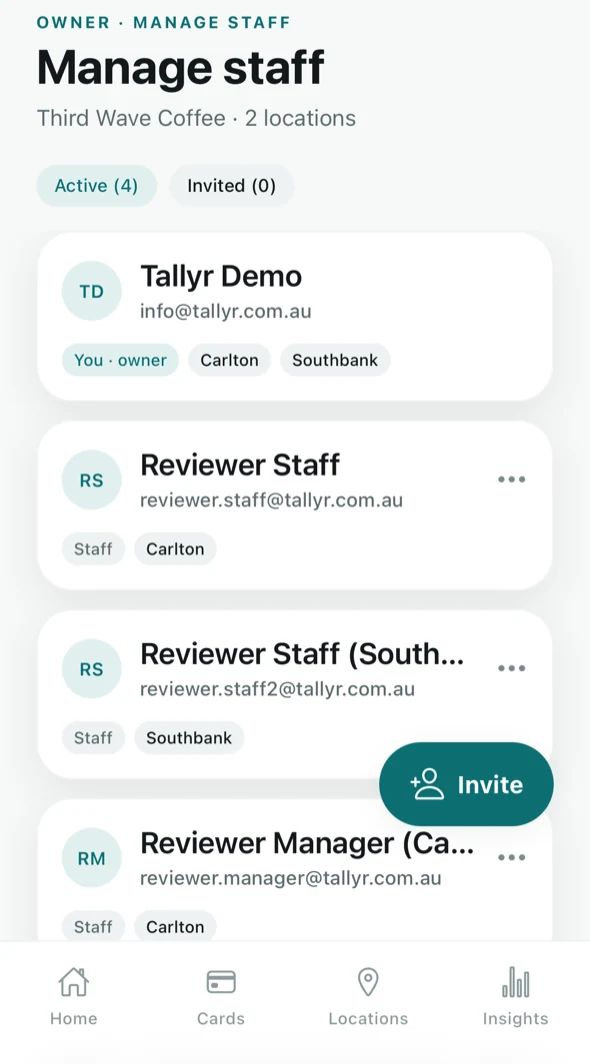
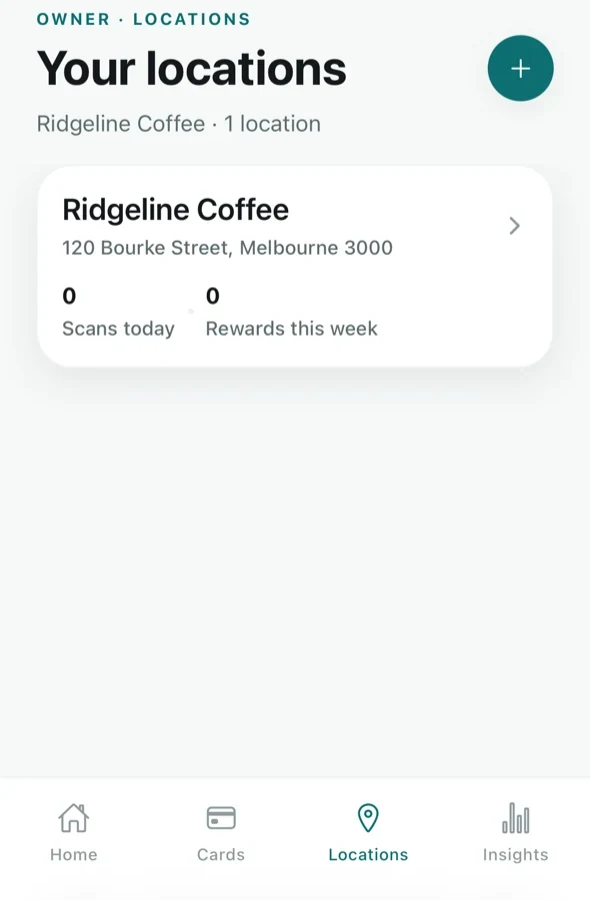
Invite staff by email, choose which venues they work at, and switch access off when someone moves on. Add locations as you grow, each with its own poster and its own numbers.
Email invitesStaff accept from their inbox and sign in with a code. No shared passwords.
Per-venue accessEach person stamps only at the venues you assign.
Switch someone offTurn a staff member's access off, and back on, in a tap.
More businessesRun two businesses from one account on Pro, each with its own cards and branding.
Close a venue for a whileClosing for renovations? Pause a location without losing anything.
Each venue's numbersSee how every location is doing, and who stamps the most.
Built to be trusted with your regulars
Your customers trust you with their details. We take that seriously.
Hosted in Australia
Loyalty data lives onshore in Australia, handled under the Privacy Act and the Australian Privacy Principles.
No ads, no trackers
No advertising, no third-party analytics in the app, and we never sell a customer's data.
Only what a business needs
A business sees its customers' names and visits. Never their email address, phone number or birthday.
Codes that expire
Customer codes refresh about every minute and reward codes within minutes, so they can't be reused.
Look-ups are recorded
Name searches at the counter are logged (who searched, where and when, never what they typed) and rate-limited.
Real deletion
Customers can delete their account from the app at any time. Their history is erased, not kept.
Keep them coming back.
Start on Free in minutes. Upgrade only when you need more.
Free plan. No card needed. Set up in minutes.