Got a Tallyr card? Here's how it works.
A business you visit uses Tallyr for its loyalty card. It's free for you, there's no app to download, and it never shows you ads.
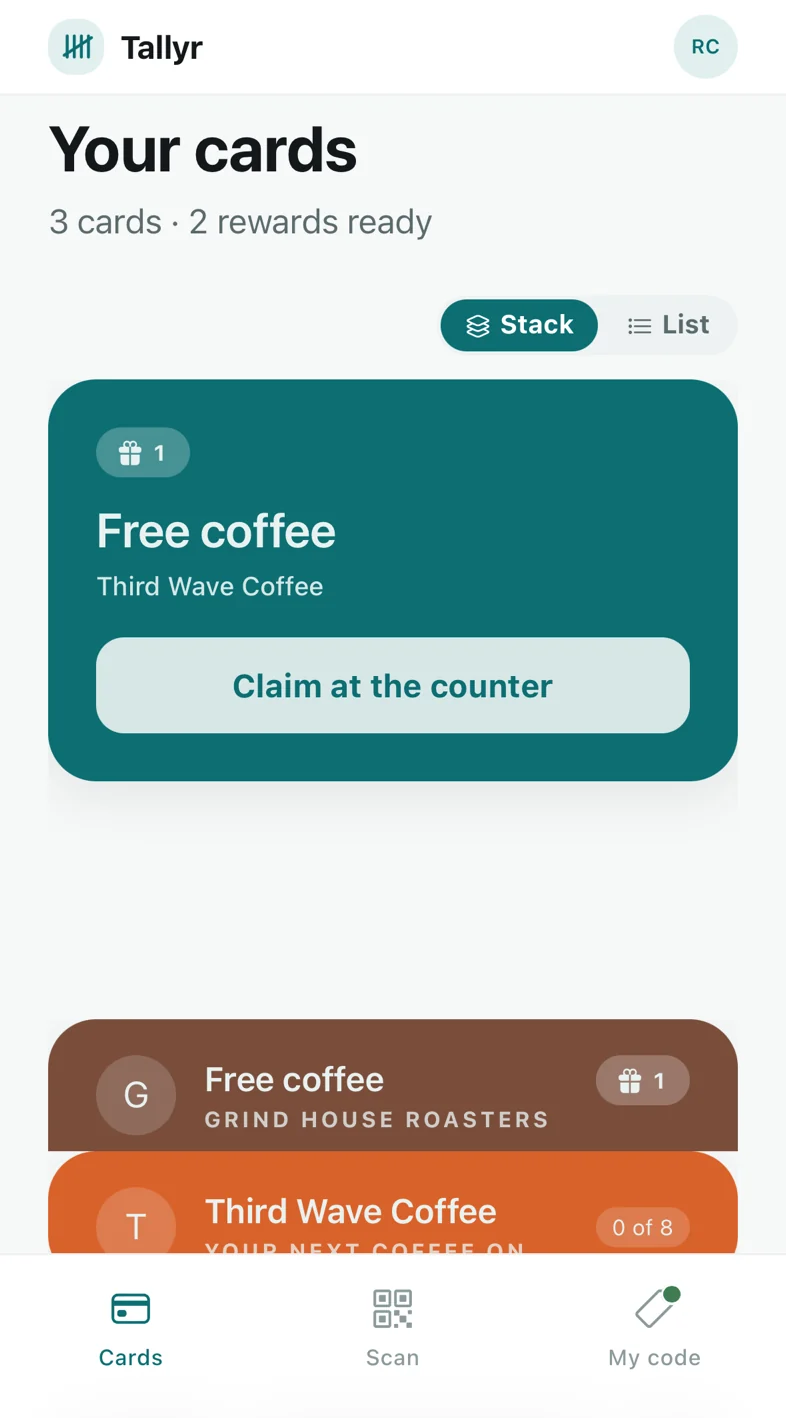
Scan. Visit. Redeem.
Scan the poster
Point your camera at the QR by the counter. The card opens in your browser. Sign in with your email and a six-digit code; there's no password. The same scan asks the team for your stamp.
Get your stamp
The team confirms your request and your card updates. Or open My code at the counter: staff scan it, or you read out the six characters underneath.
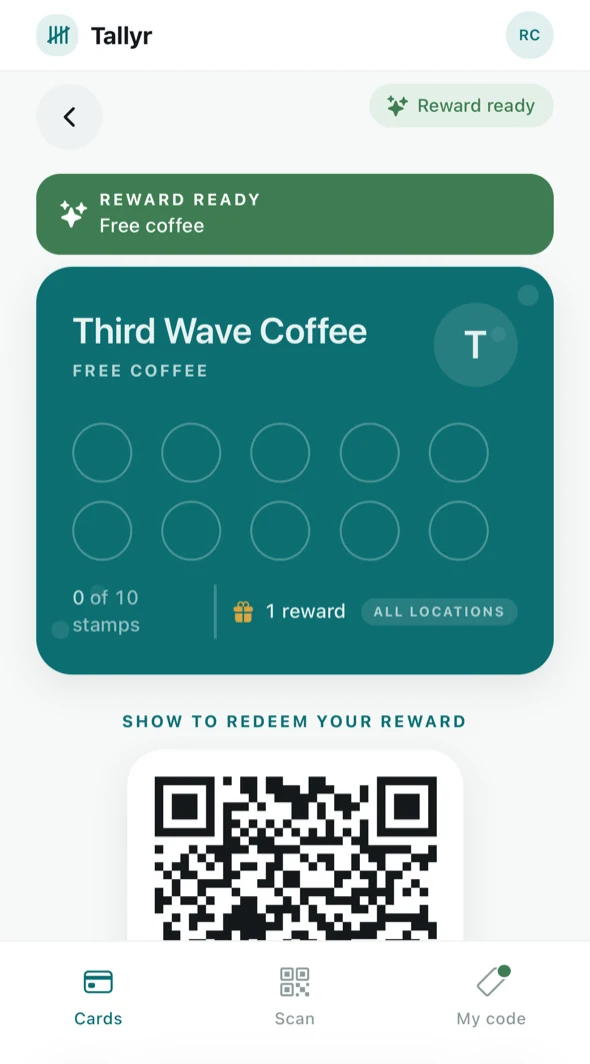
Claim your reward
When the card fills, the reward waits on it. Show the reward's code at the counter, and your card starts again.
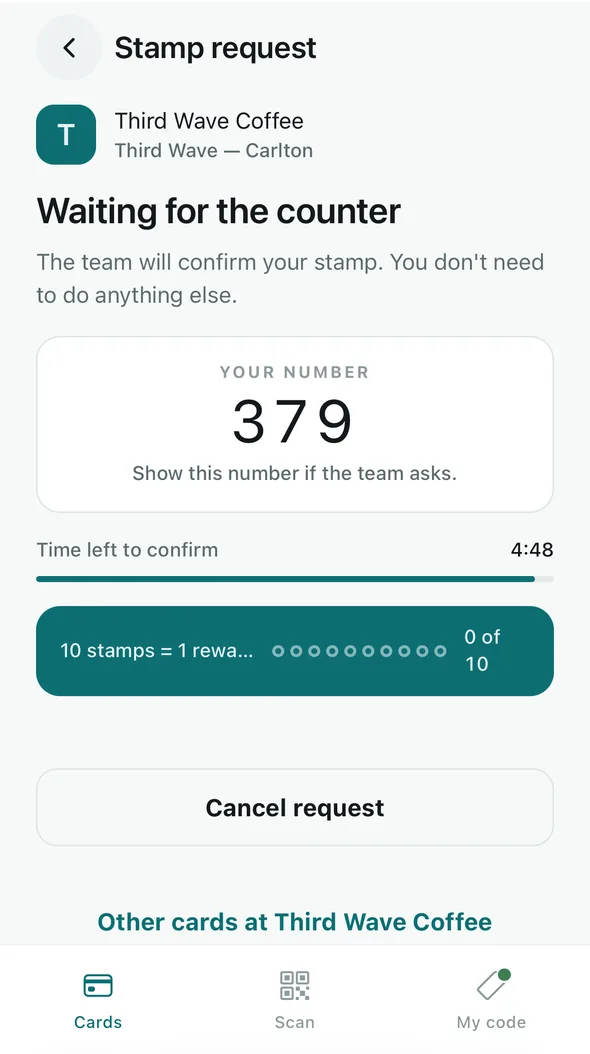
Scan the poster, and the team confirms
Scanning the QR poster by the counter sends the team a stamp request. While they confirm it, your phone shows a three-digit number and the time left.
- Nothing to tap: the scan sends it
- Show your number if the team asks
- Cancel it any time while it's waiting
- Nothing is stamped until the team confirms, and a request lasts 5 minutes
- Staff see your name, picture and number, never your email, phone or birthday
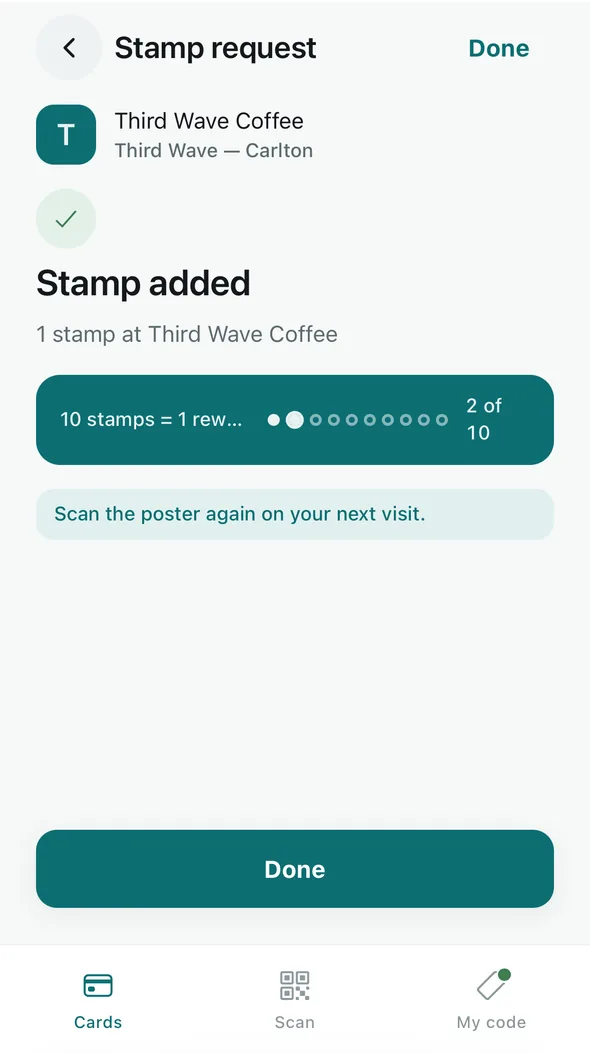
Keep it in your wallet
Add any Tallyr card to Apple Wallet or Google Wallet from the card. It updates itself when you collect a stamp, tells you when a reward is ready, and staff can scan it straight from the wallet.
- Your cards are on your account, not your phone: sign in on a new phone and they're all there
- One account holds every Tallyr card you collect
- Nothing to pay, ever
You decide who can message you
A business whose card you hold may send you messages through that card: a reminder when a reward is close or ready, the odd offer or bit of news, a birthday wish if you added your birthday, and a request to review them on Google after a few visits.
- They appear on your Apple Wallet or Google Wallet pass, never by SMS
- No business can message you more than once a week
- Stop any business without signing in: turn off the card's notifications, remove it, or email us
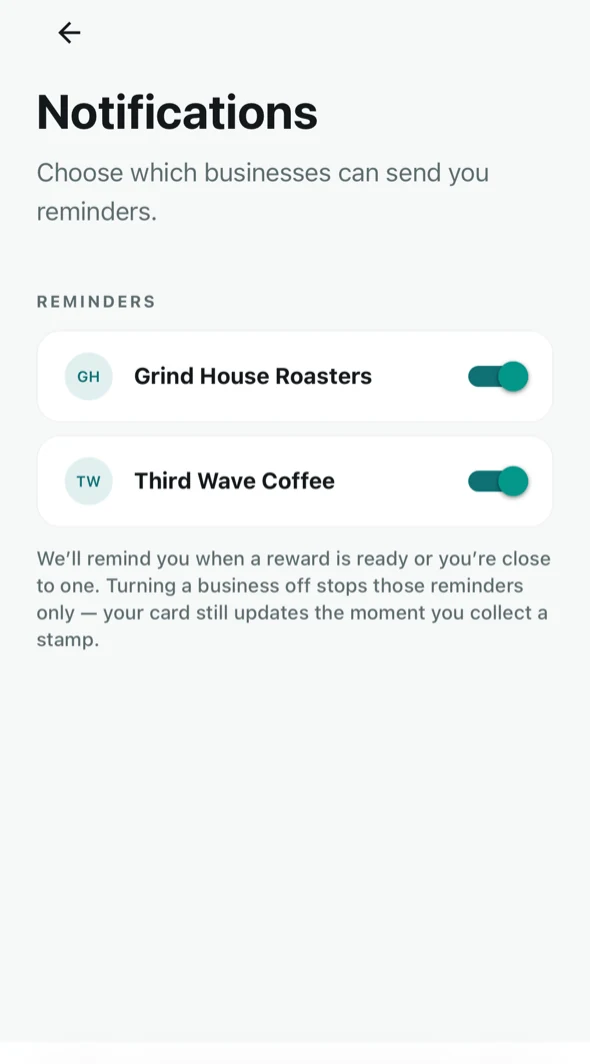
- Or turn the business off in the app's notification settings. Your card keeps working
- Businesses may not offer you anything in return for a review
What a business can and can't see
A business can see
Your display name and picture, and your cards, stamps, visits and rewards with that business. Staff can find you by name at the counter and see the number on any stamp request you send, and the owner can download a list of card holders with their name and a summary of their visits.
A business can never see
Your email address, your phone number, your birthday, or anything you do at any other business. We never sell your data and never show you ads.
Customer questions
Does it cost me anything?
No. Tallyr is free for customers.
I lost my phone. Are my stamps gone?
No. Your cards are on your account. Sign in at app.tallyr.com.au on your new phone with the same email and they're all there.
I scanned the poster. Where's my stamp?
Your request is waiting for the team to confirm it. If nobody does within 5 minutes it ends, and you can scan again or show your code at the counter.
My code says it has expired.
That's on purpose: your code refreshes about every minute so nobody can use a screenshot of it. Show the screen again.
Why add my birthday?
So a business whose card you hold can send you a birthday message on the day, often with a treat. We store the day and month only, never the year, and no business ever sees it. You can remove it at any time.
A question about a reward?
Ask the business. Each business sets its own rewards and rules.
How do I delete my account?
From your account settings in the app, at any time. It takes effect straight away and erases your history.
Something not working?
Email info@tallyr.com.au and a person will help.