The paper stamp card, rebuilt for the phone in their pocket
Tallyr keeps the "buy a few, get one free" card everyone already understands, and takes away the paper, the hole punch and the guesswork. Here is how it runs for you, your staff and your customers, in the app's real screens.
Set it up once
About as long as it takes to make a coffee. The setup wizard saves as you go, so you can start on your phone and finish on a laptop.
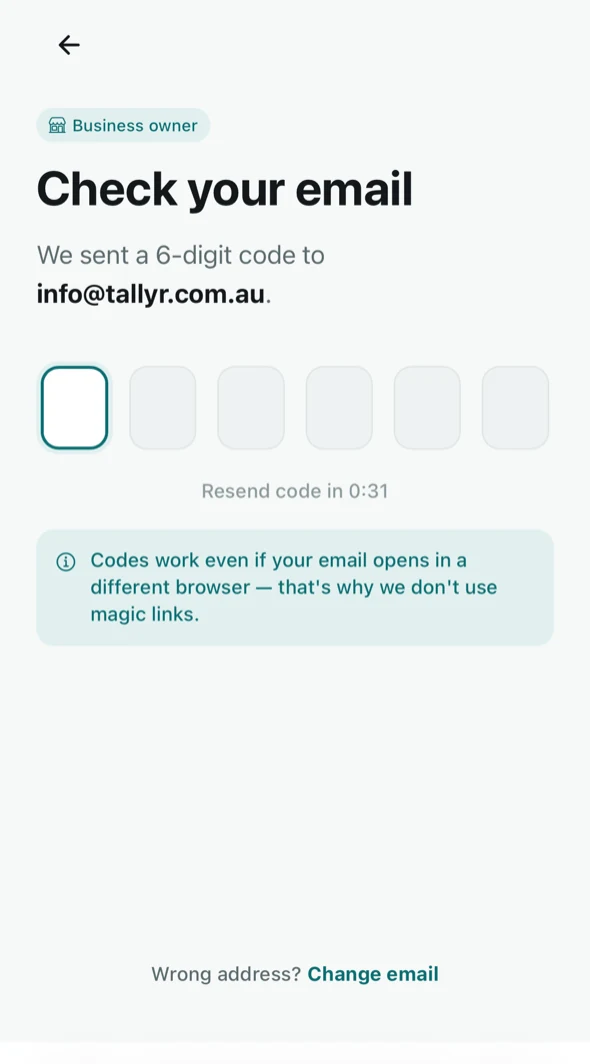
Sign in with a code
Enter your email and type the six-digit code we send. There's no password to choose or forget.
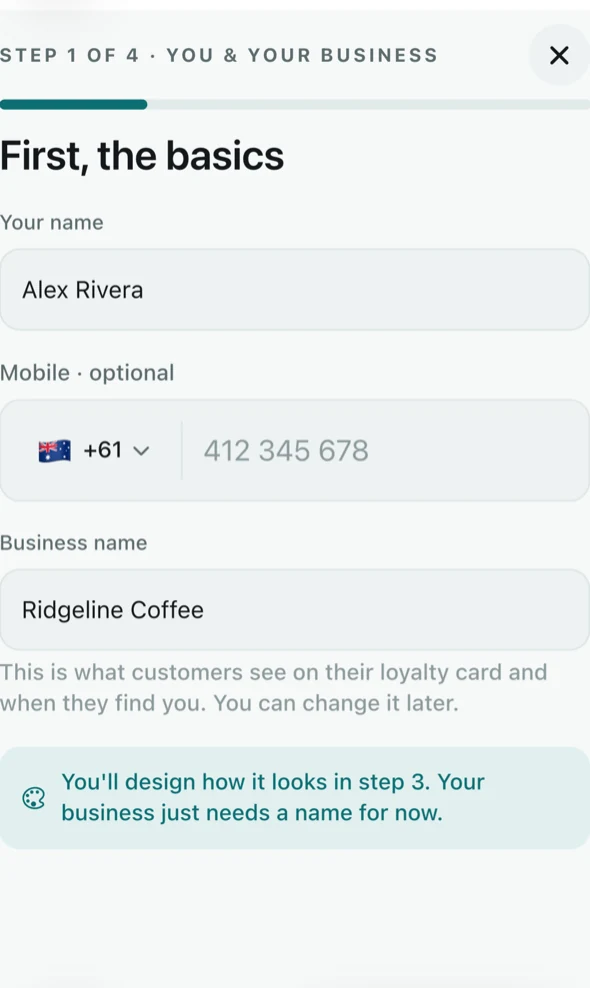
Add your business
Your business name, logo and colours, and your first location's address.
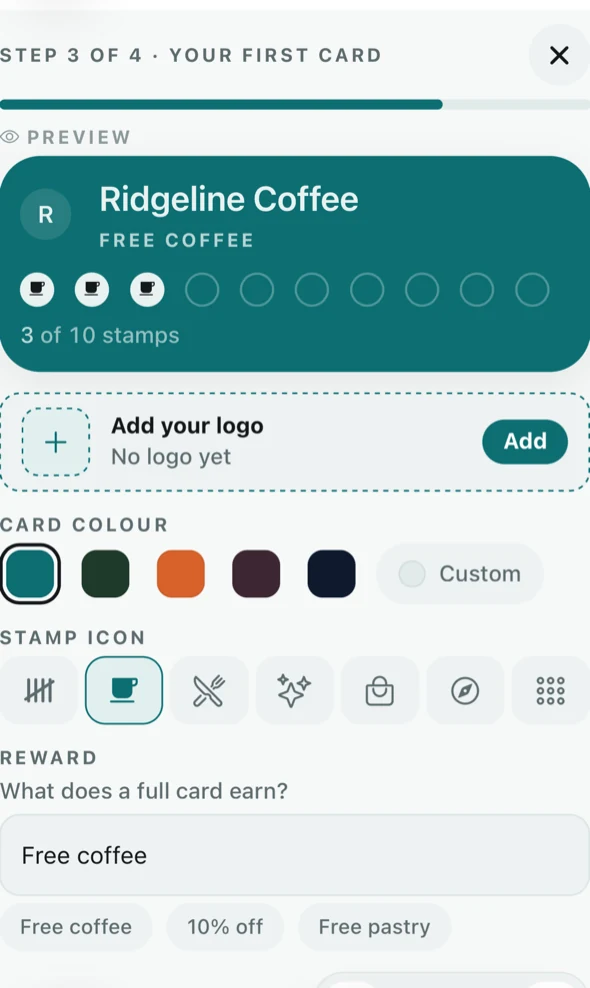
Design your card
Pick a colour and a stamp icon, set the reward and how many stamps earn it. The preview updates as you go.
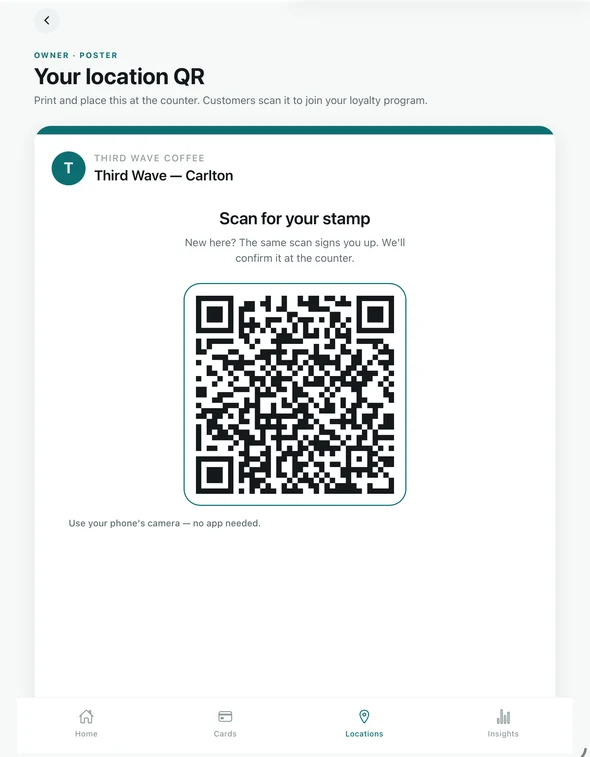
Put up your poster
Every location gets its own QR poster, headed “Scan for your stamp”. Print it, or have it emailed, and stand it where people pay.
Then invite your team. Send each staff member an email invite and choose which venues they work at. Free includes three staff; Tallyr Pro has no limit, and there's never a per-seat fee. How staff invites work
One screen, one job
If they can use a phone camera, they can run the counter. There's a practice run for the first shift, and nothing in it is saved.
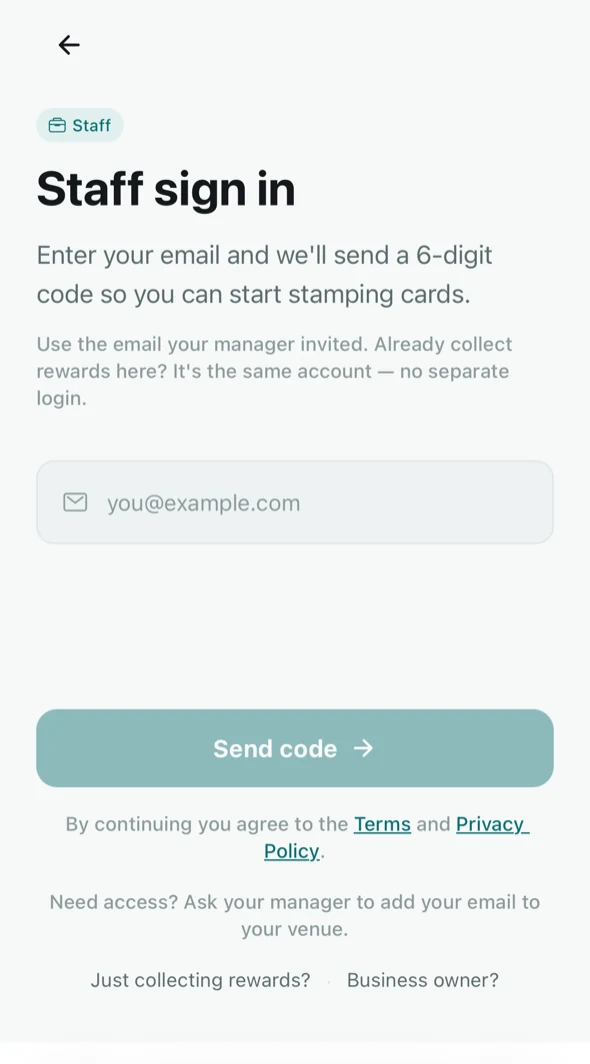
Sign in from the invite
Staff accept the email invite and sign in with a code. No shared logins.
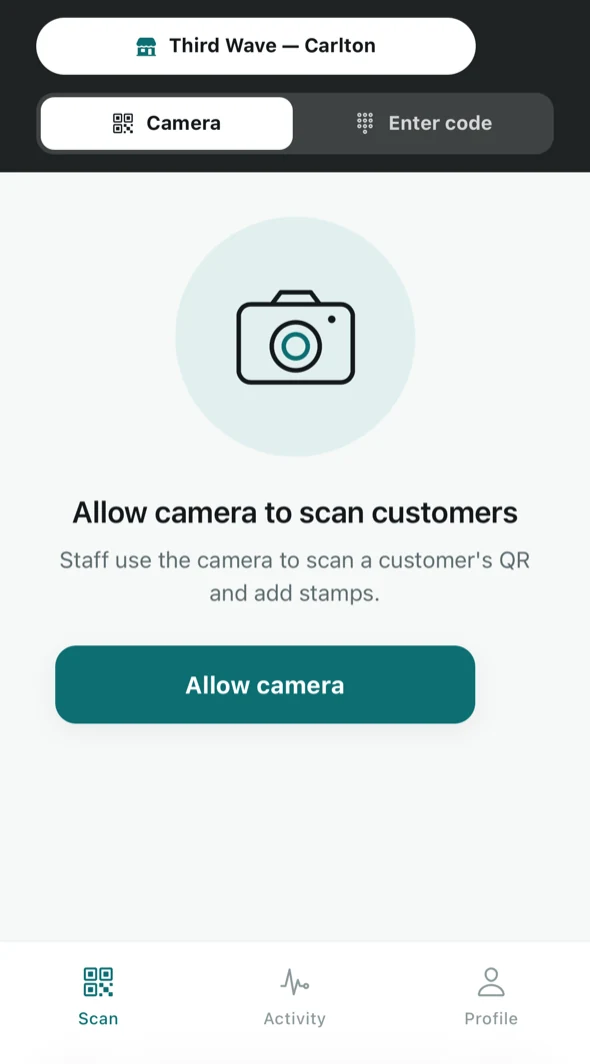
Open the counter
Pick the venue they're working at today and allow the camera once.
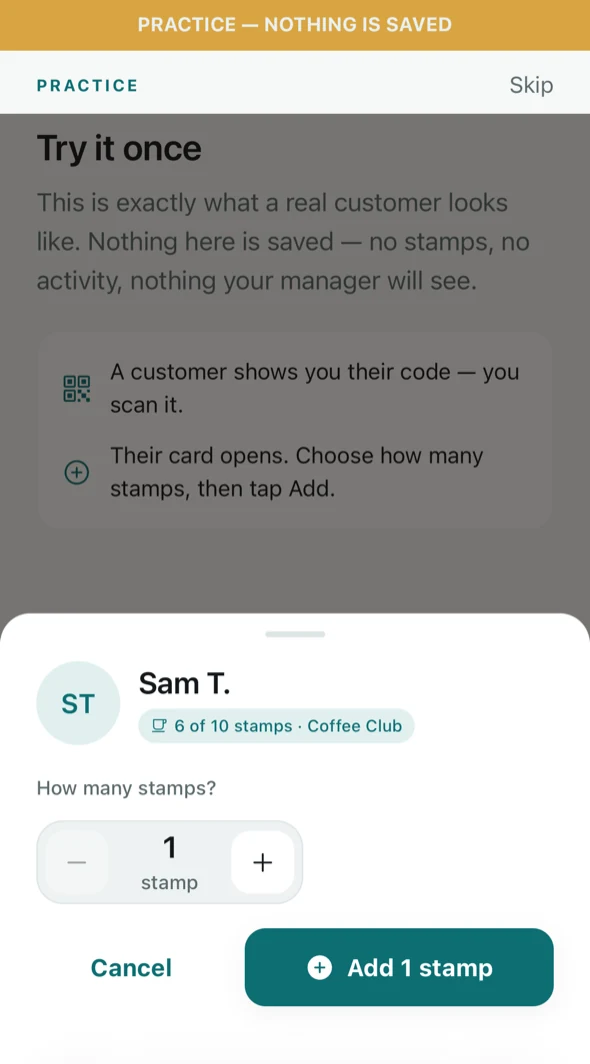
Scan, check, stamp
Scan the customer's code, check the name, choose how many stamps, and add. A full card offers the reward instead.
Customer scanned the poster? New
Their stamp request waits behind the pill on the Scan screen. Check the name and the three-digit number, then Approve, which opens the usual stamp sheet, or Decline. Nothing is stamped until someone does.
Camera won't focus?
Switch to Enter code and type the six characters on the customer's screen.
Phone flat? New
Switch to Name and type three letters of their name to find them among your customers.
Scanned twice?
Tallyr recognises a repeat scan and won't stamp twice, so a nervous double tap costs nothing.
A till screen for the register. New On a tablet or computer, Open till screen puts a barcode scanner or the camera on one side and the stamp requests list on the other, with a soft chime for each new one. How the till works
Scan. Visit. Redeem.
No app store, no password, no card to forget. Your card lives in their phone and, if they like, in Apple Wallet or Google Wallet.
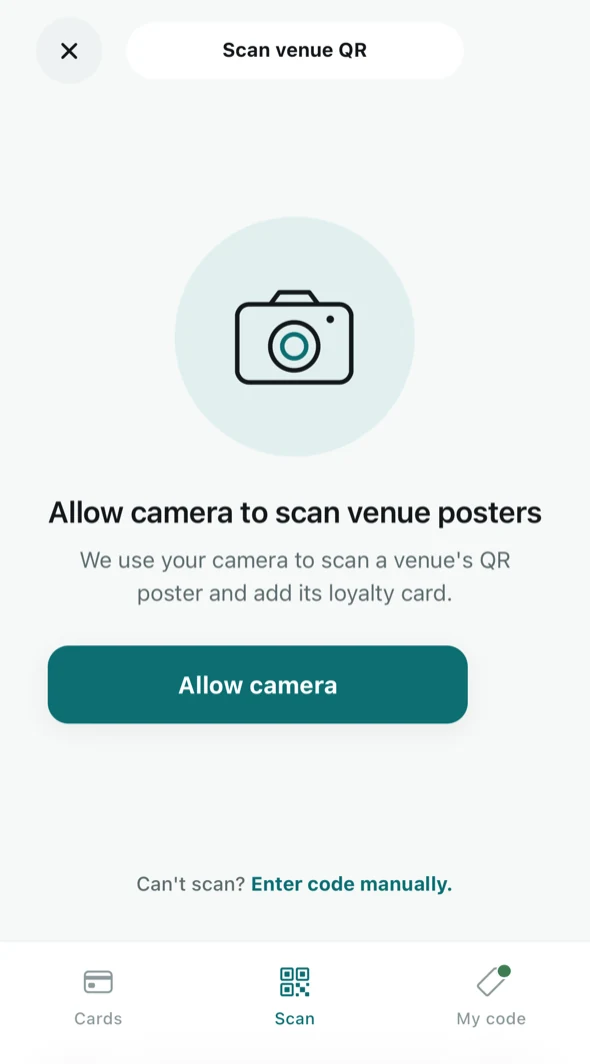
Scan your poster
They point their camera at your QR. Your card opens in the browser, with no app download.
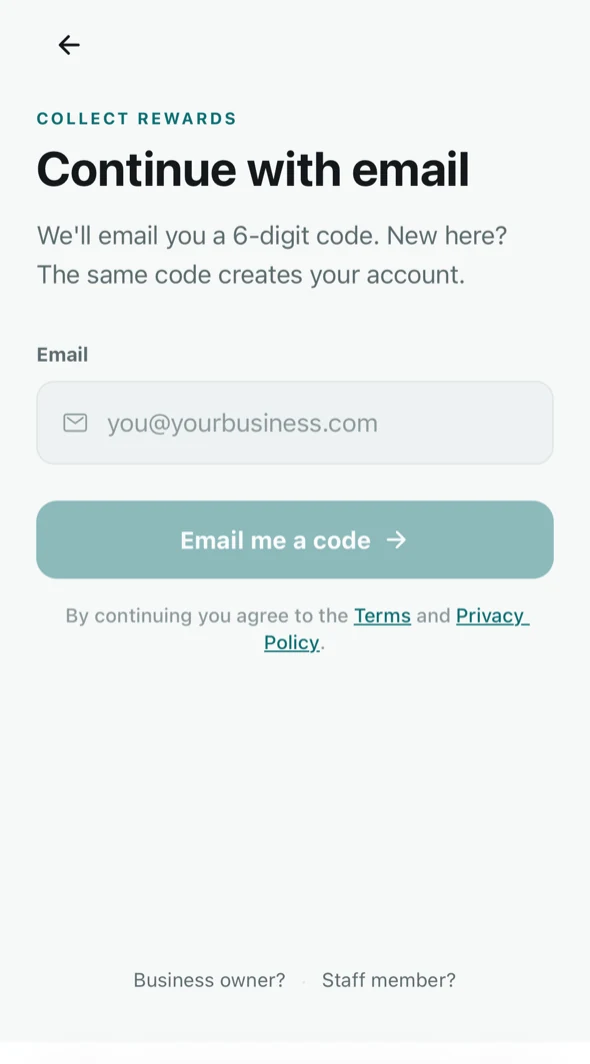
Sign in with a code
An email and a six-digit code. One account holds every Tallyr card they collect.
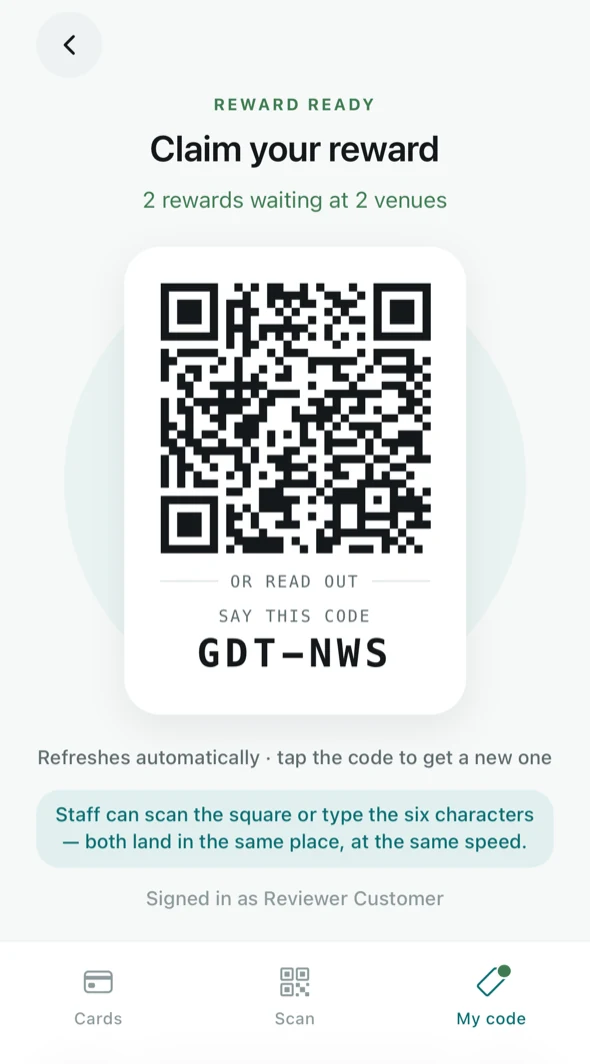
Get the stamp
They scan your poster again and staff confirm the request. Or they open My code and staff scan it, or they read out its six characters.
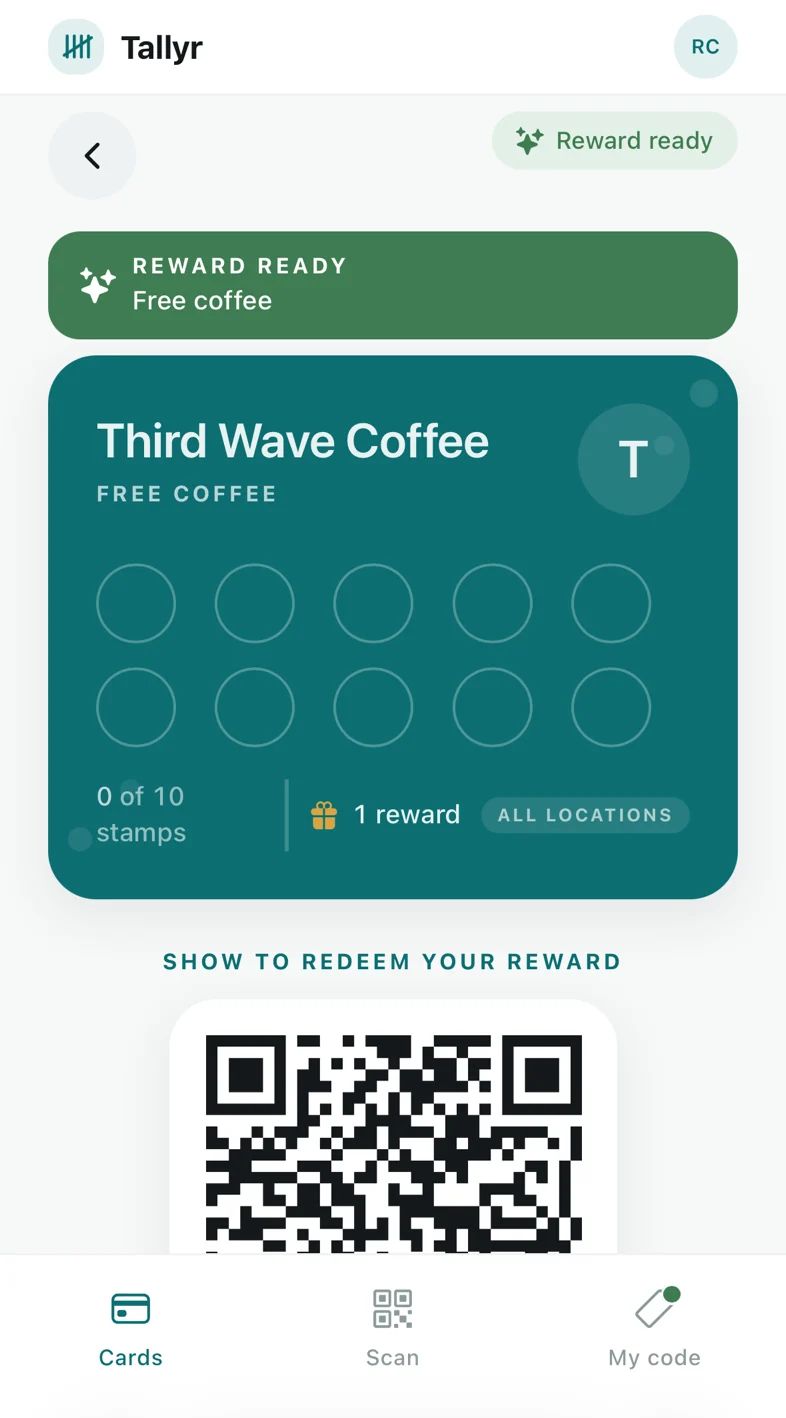
Claim the reward
When the card fills, the reward waits on it. One scan at the counter hands it over, and the card starts again.
The card keeps working after they leave
Once a customer adds your card to Apple Wallet or Google Wallet, it updates itself with every stamp. With the Wallet nudges add-on it also brings them back.
- A reminder when a reward is close, and when it's ready
- A nudge to a regular who hasn't been in for a while
- Your own offers to everyone, your regulars, or customers who have lapsed New
- A birthday message on the day, and a Google review request after a few visits New
- Never more than one message a week, and every customer can switch them off
Everything in one place
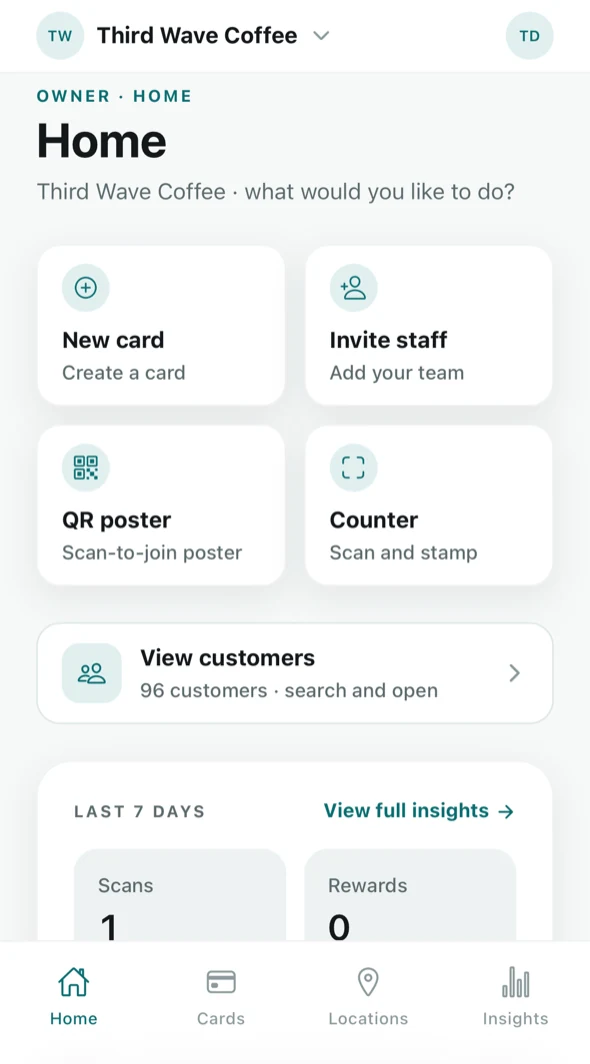
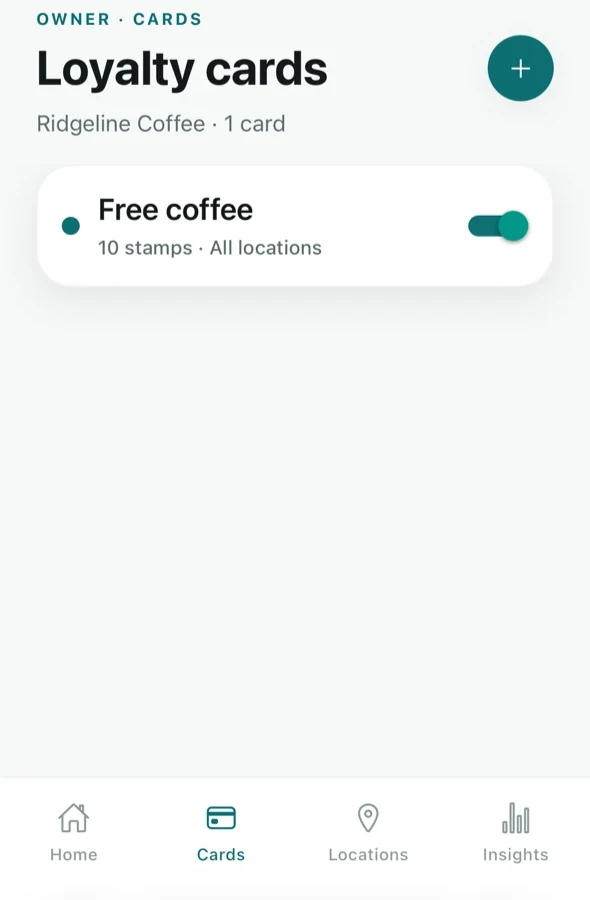
Home puts the things you do most one tap away (a new card, a staff invite, your poster, the counter) beside the last seven days. Cards, Locations and Insights sit in the tab bar, on your phone, a tablet or a laptop.
- Edit a card's look, reward and venues at any time; cards customers already hold keep the goal and reward they started with
- Add locations, get their posters, and close one for a while without losing anything
- See who's new, who's returning, and who has gone quiet
Good to know
Can customers stamp their own card?
No. Scanning your poster sends a stamp request, and a staff member approves or declines it. A request that nobody confirms ends after 5 minutes, and a request can never hand over a reward.
How long does setup take?
Most of it is typing your business name and choosing a colour. The wizard is four short steps and saves as you go.
Can a customer use Tallyr without a smartphone?
Tallyr cards live on a phone. A customer without one can't hold a card, but nothing stops you running a paper card for them alongside.
Does it work with my POS?
Tallyr runs beside your till rather than inside it, so there is nothing to integrate and nothing to wait for.
What happens if the internet drops?
Stamping needs a connection. The counter tells staff they're offline rather than failing quietly, and nothing is lost: the stamp can be added once the connection is back.
Ready for your first stamp?
Start on Free. Setup takes a few minutes, and there's no card to enter.
Free plan. No card needed. Set up in minutes.