Your account and reminders
Everything about you sits behind your initials in the top right — including which businesses are allowed to send you anything.
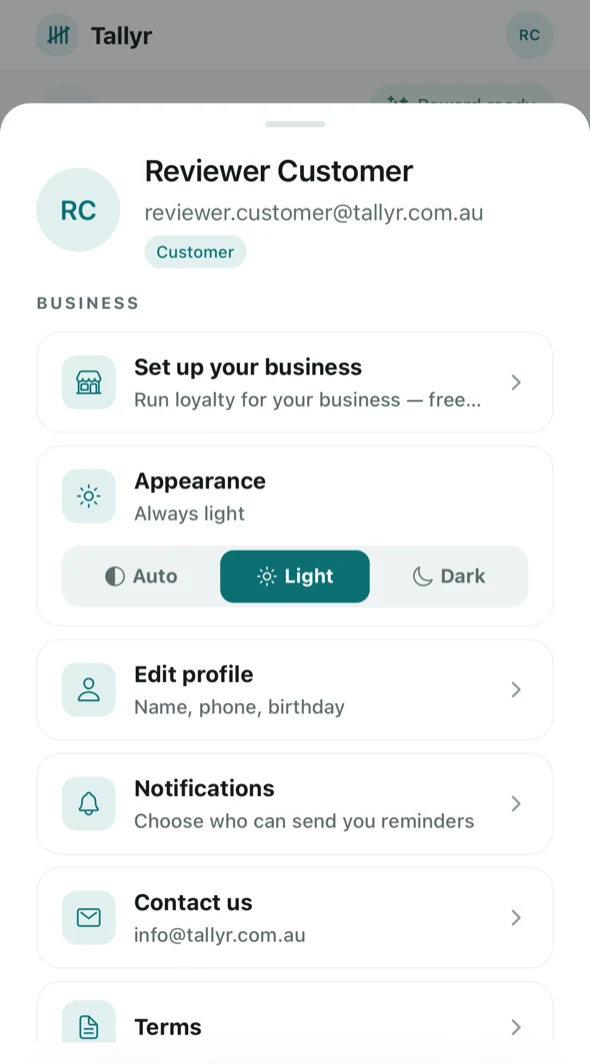
- Edit profile — your name, phone and birthday. The name is what staff see when they scan you, which is how they check they have the right person.
- Notifications — which businesses can remind you.
- Appearance — follow your phone, or force light or dark.
- Set up your business — if you run a venue yourself, the same account can do that. See Set up your business.
Choosing who can remind you
Notifications lists every business you hold a card with, each with its own switch.
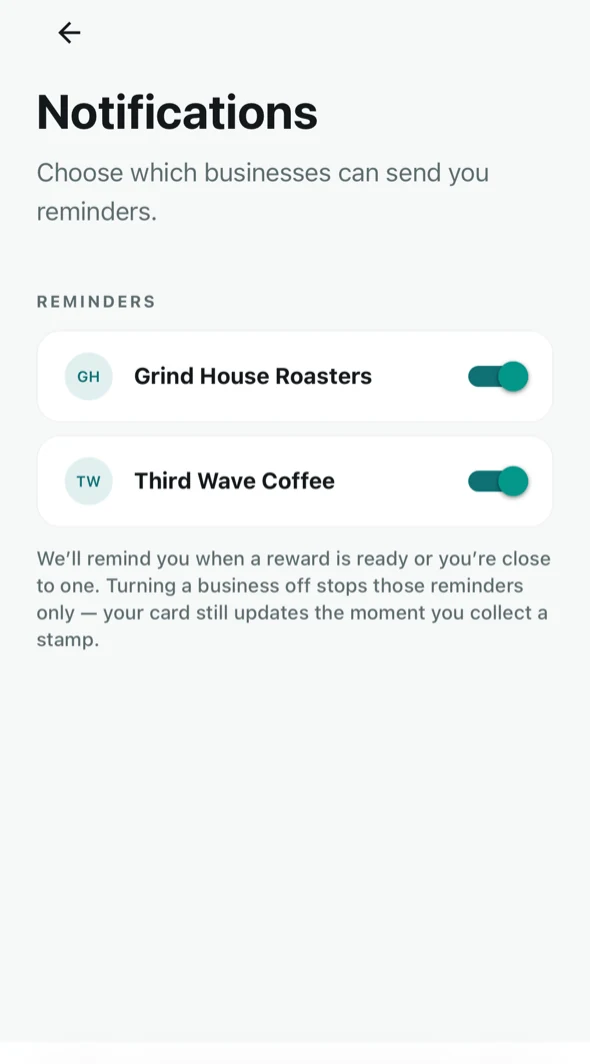
The screen is explicit about what turning one off does: it stops the reminders from that business only — your card still updates the moment you collect a stamp. You are switching off messages, not the loyalty card.
Reminders are things like “your reward is ready” or “you are one stamp away”. With the Wallet nudges add-on a business can also send the odd offer, a birthday wish if you added your birthday, and one request for a Google review; the same switch stops all of them, and no business can message you more than once a week. What an owner can see about it is in Messages Tallyr sends.
Signing in somewhere else
Your cards are on the account, not the phone. Sign in at app.tallyr.com.au on any device with the same email and they are all there.
Leaving
Account deletion is under Account settings, and it is permanent. It removes your stamp and redemption history everywhere it appears — including from the counts of the businesses you collected with. Nothing is kept in a de-identified form.