Add and manage locations
A location is a venue you stamp at. Each one has its own QR poster and its own numbers, and changes to a location take effect immediately.
Your locations
The Locations tab lists every venue for the brand you are in, each with Scans today and Rewards this week so you can see at a glance which shops are actually using it.
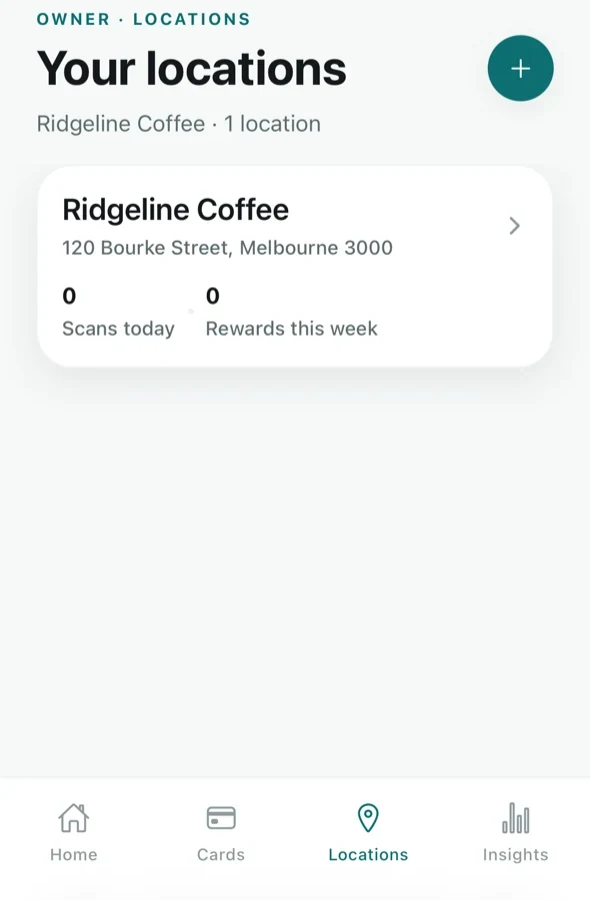
Add a location
Tap + at the top right. You give the venue a name customers will recognise and an address — start typing the street and pick from the suggestions, and the suburb, state and postcode fill in themselves.
Cards with Include locations you add later switched on pick up a new venue automatically. Cards limited to specific venues do not — open the card and tick the new one. See Create and edit cards.
What you can do with a location
Tap a venue to open it. Changes here apply right away — there is nothing to re-publish.
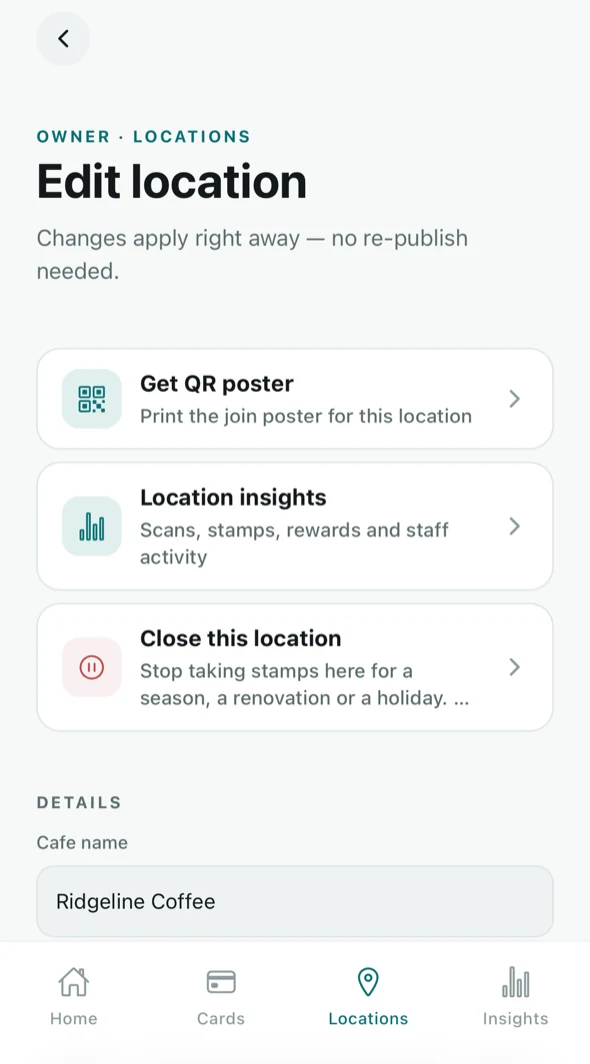
- Get QR poster — this venue's QR poster, which customers scan to join and to ask for a stamp, and Set up a till, the seven tips for a tablet or computer by the register. Poster guide, till guide.
- Location insights — scans, stamps, rewards and staff activity for this venue alone.
- Close this location — stop taking stamps here for a season, a renovation or a holiday.
- DETAILS — the name and address, editable.
Closing a location temporarily
Close this location stops stamping at that venue without deleting it. Customer cards, stamp history and your numbers all stay put, and you can reopen it when you are trading again. A closed venue takes no stamp requests either, and any that were waiting there end.
What locations cost
The Free plan includes one location; adding a second asks you to upgrade first. Tallyr Pro ($25 a month) covers up to two locations, and each additional location is $5 per month. Removing one takes effect from your next monthly invoice. Full terms are in the subscription section of the Terms.