Try the practice run
Tallyr gives you a fake customer to practise on, so the first card you stamp for real is not the first one you have ever stamped.
New staff are offered this automatically. You can also start it any time from the Profile tab under Replay the practice run.
Start it
An amber bar sits across the top for the whole run — PRACTICE — NOTHING IS SAVED — so you always know it is not real. The screen tells you the two things that are about to happen.
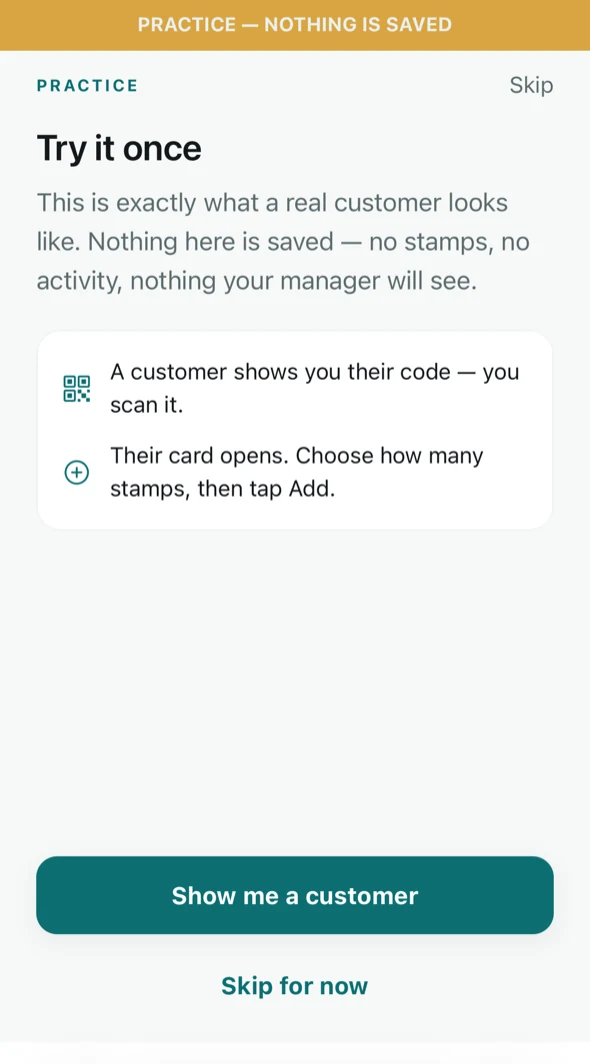
The practice run explains itself first. Meet the customer and add a stamp
Tap Show me a customer. A card opens exactly as a real one does: the customer\’s name, how far along they are, and which card it is. Choose how many stamps with the stepper and tap Add 1 stamp.
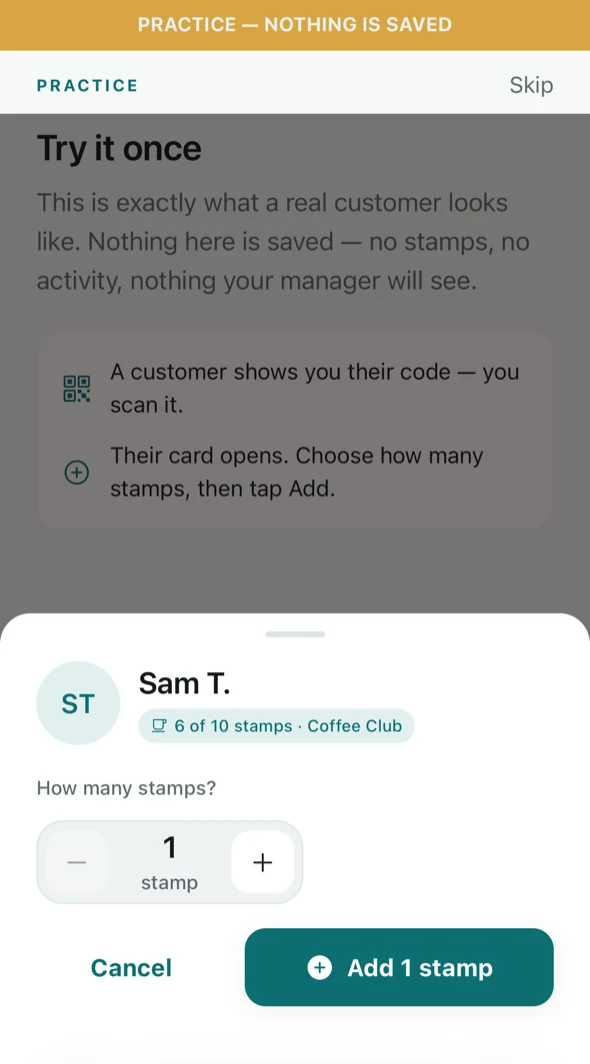
The stamping sheet — the same one you get for a real customer. NoteThe stepper is there because a customer buying two coffees gets two stamps in one go, not two scans. Check what they actually bought before you tap.
That is the job
Tallyr confirms with the only summary you need: scan, check the name, add the stamps. Nothing from the run is saved — no stamps, no activity, nothing your manager sees.
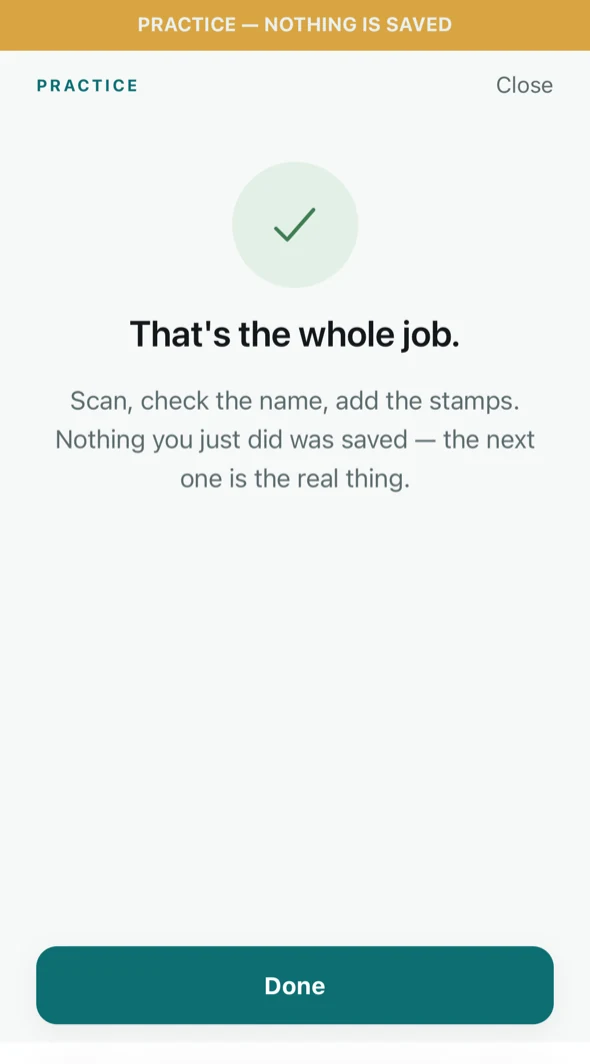
The end of the practice run.
Do it again whenever
The practice run is always available from Profile → Replay the practice run. It is worth a minute for a new starter on their first shift, and it costs nothing to repeat.