Create and edit cards
A card is the thing your customers collect stamps on: how many stamps, what they earn, what it looks like and where it can be stamped. All four are editable after it goes live.
Your cards
The Cards tab lists every card for the brand you are in. Each row shows the reward, the stamp goal and where it runs, plus a switch.
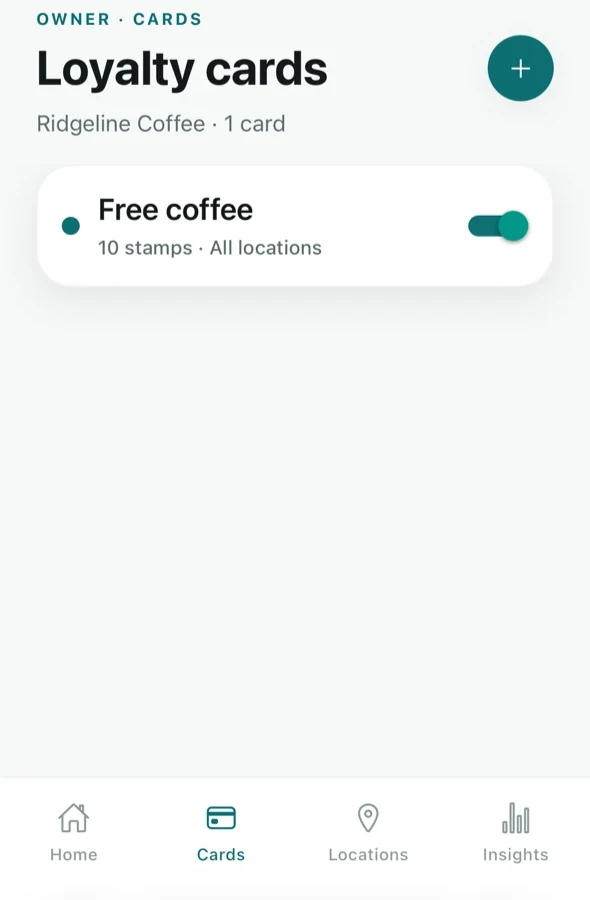
The switch turns a card on and off. Turning one off stops it being issued and stamped without deleting anything — existing cards and their history stay exactly as they are.
Create a card
Tap the + button at the top right of the Cards tab. You get the same designer as step 3 of setup, followed by the same “where does it run” step, so the flow will already be familiar.
You need at least one location before you can create a card — a card has to run somewhere. If you have none, add one first: Add and manage your locations.
Edit a card
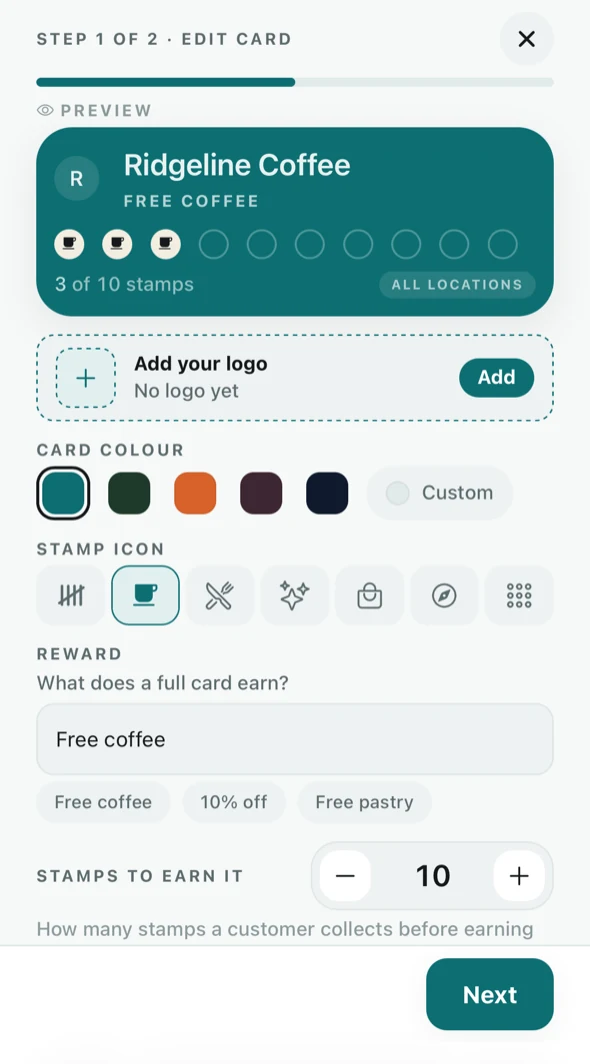
Tap the card in the list. Editing is two steps — the design, then where it runs — with the live preview above the controls the whole way.
What you can change
- Your logo — appears on the card and on the join poster.
- Card colour — five presets, or Custom for your own.
- Stamp icon — the mark that fills in with each visit.
- Reward — what a full card earns, in the customer's words.
- Stamps to earn it — the goal, set with the stepper.
- Where it runs — which venues can stamp it, on the second step.
Changing the reward or the goal changes what existing cardholders are working towards, so it is worth telling regulars before you raise a goal. Their collected stamps are not lost.
Where a card runs
The second step of both creating and editing is the RUNS AT list. Tick the venues this card can be stamped at. Include locations you add later means a venue you open later joins the card automatically, instead of you having to remember to come back here.
This is enforced when a stamp is taken, not just displayed: a card that does not run at a venue cannot be stamped there, whatever the counter tries.