Your account settings
Everything that is about you rather than about the business sits behind your initials in the top right.
The account menu
Tap your initials on any main screen.
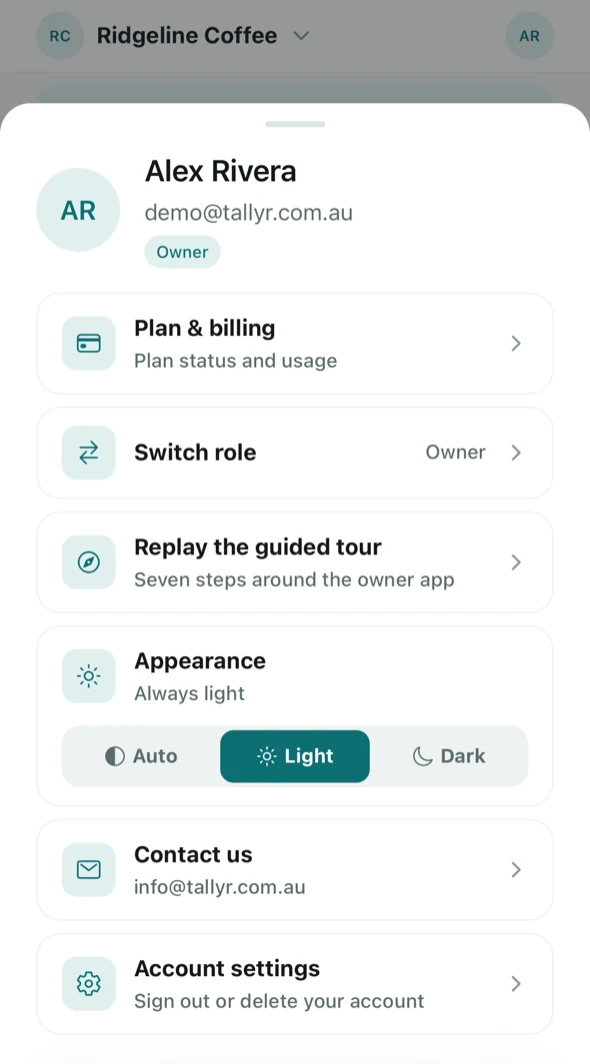
Alongside Plan & billing and Contact us, this is where Switch role lives — handy if you also collect stamps as a customer or stamp at the counter yourself — and where you can Replay the guided tour.
Appearance
Auto follows your device. Light and Dark hold the app to one regardless — worth setting if a counter iPad keeps flipping to dark in the evening.
Account settings
The last item opens the settings themselves.
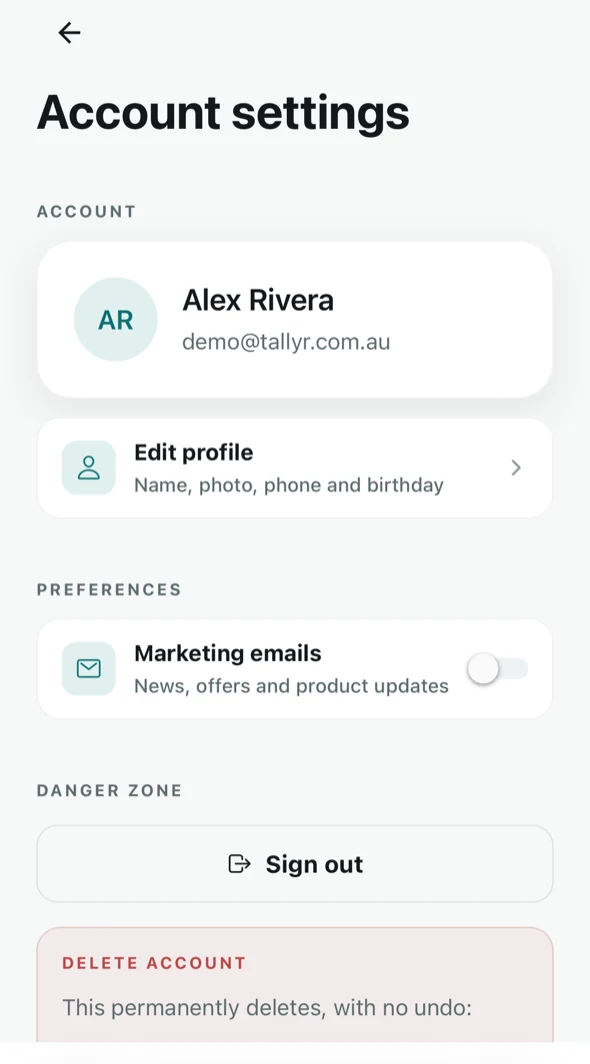
- Edit profile — your name, photo, phone and birthday.
- Marketing emails — news, offers and product updates from Tallyr. This is about email you receive, not anything your customers get.
- Sign out — you can sign back in with the same email whenever you like.
Deleting your account
Account deletion sits at the bottom, under DANGER ZONE, and it is permanent — there is no undo. The screen lists exactly what goes before you confirm.
Deleting your account erases your own stamp and redemption history everywhere it appears, including from the counts of businesses you were a customer of. It is not the same as cancelling your subscription — for that, see Your plan and billing.
Signing in on another device
Tallyr runs in the browser, so there is nothing to install: go to app.tallyr.com.au, enter your email, and enter the code. Your business, cards and history are on the account, not the device.